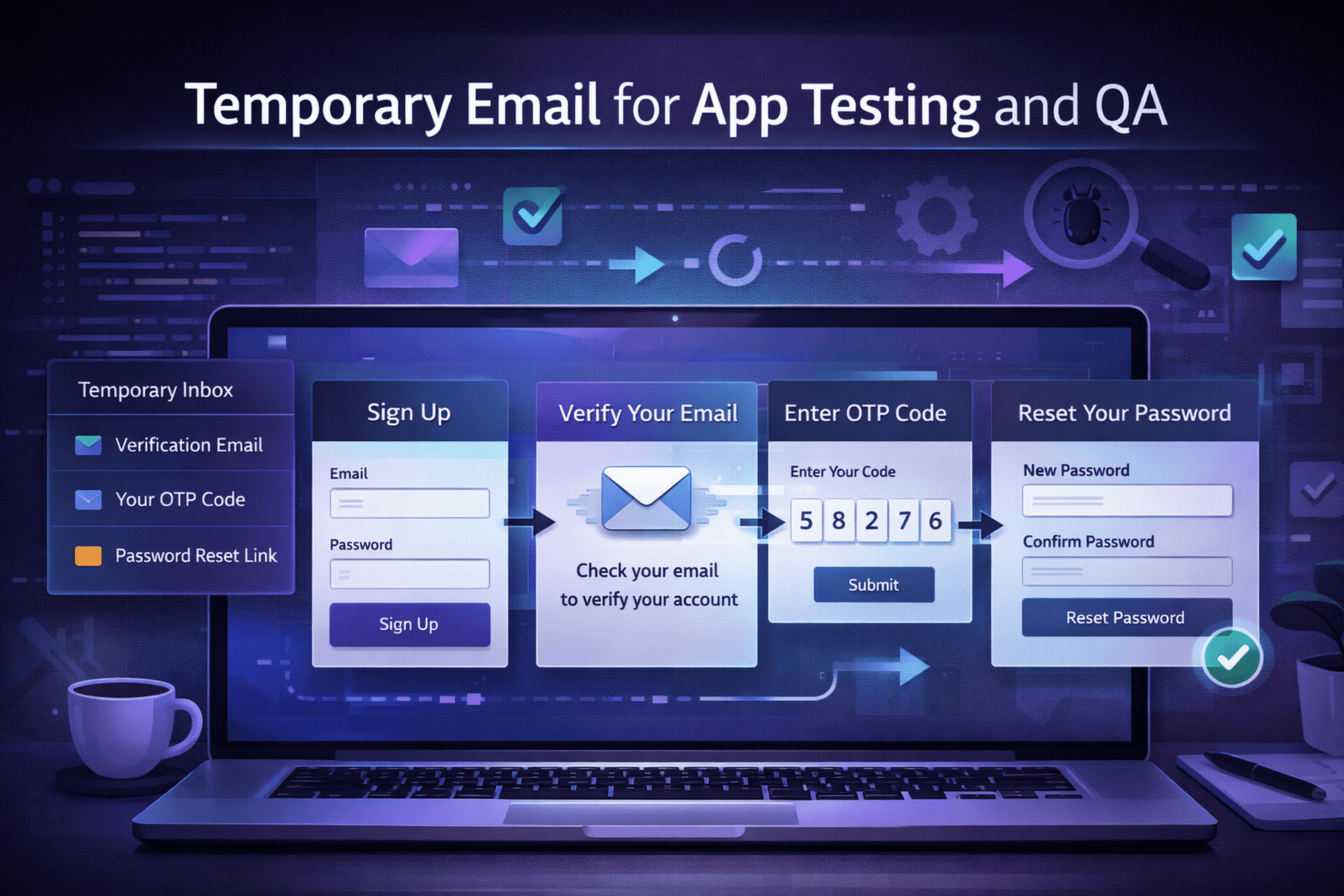
Temporary Email for App Testing and QA: A Practical Guide
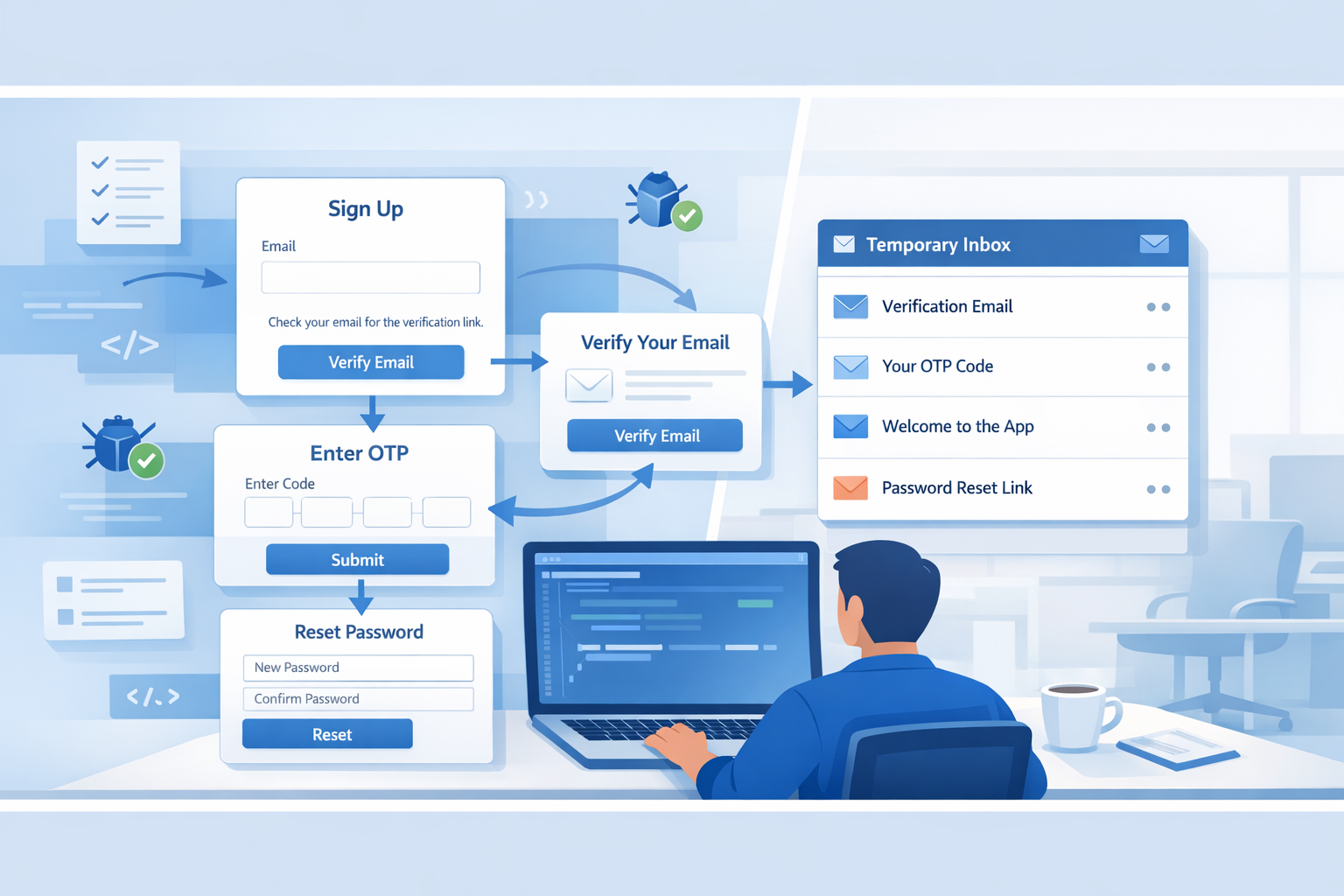
Modern app testing is not limited to checking layouts, buttons, or form validation. In many cases, quality assurance teams also need to test account registration, email verification, OTP delivery, welcome messages, password reset links, and notification workflows. That is where temporary email becomes highly useful.
A temporary email address helps testers receive short-term emails without using a personal or company inbox for repeated test activity. This keeps testing organized, reduces inbox clutter, and makes it easier to validate email-based features across different scenarios.
What Is Temporary Email for App Testing?
Temporary email is a disposable inbox that can receive emails for a limited period. Instead of creating permanent email accounts for every test case, developers and QA teams can use a short-term inbox to verify sign-up flows, email confirmations, test account creation, and password recovery processes.
For app testing and QA, this approach is practical because many test cases are repetitive. A tester may need to create multiple accounts, trigger the same email flow several times, and confirm whether the right message arrives at the right time. Temporary email simplifies that process.
Why QA Teams Use Temporary Email
Testing teams often work with repeated registration and verification flows. Using permanent inboxes for every test can quickly become messy, especially when dozens of emails arrive from multiple environments. Temporary email provides a cleaner and faster way to manage short-term testing tasks.
- Less inbox clutter: Test emails stay separate from personal or work communication.
- Faster testing: Teams can quickly generate inboxes for repeated sign-up and verification tests.
- Better workflow management: Temporary inboxes help keep test scenarios isolated.
- Useful for multiple accounts: Testers can validate registration flows more efficiently.
- Helpful in early-stage development: Teams can test email-dependent features before launch.
Best Use Cases for Temporary Email in QA
1. Signup Flow Testing
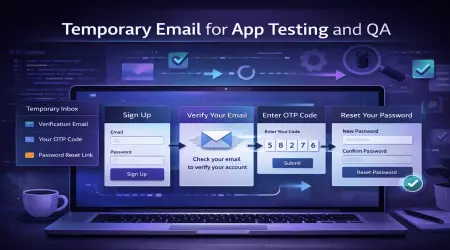
One of the most common use cases is testing the user registration process. QA engineers can create new accounts, submit forms, and confirm that the verification email is delivered correctly. This helps teams check whether the sign-up process is working from start to finish.
2. Email Verification Testing
Many apps require new users to verify their email address before they can access all features. Temporary email makes it easier to test whether the verification link is sent, whether it opens correctly, and whether the user account status changes after confirmation.
3. OTP and One-Time Code Validation
Some applications send one-time passcodes or login confirmation codes through email. Testers can use temporary inboxes to confirm delivery speed, message formatting, expiration timing, and successful code submission.
4. Password Reset Workflow
Password recovery is a critical feature in most applications. QA teams can use temporary email to request reset links, confirm whether the message arrives, and verify whether the link leads to the correct reset page without errors.
5. Notification and Trigger Testing
Apps often send automated emails after a user action such as account creation, profile update, purchase, or support request. Temporary email helps verify whether those triggered emails are sent properly and contain the correct information.
6. Multi-Account Scenario Testing
Some platforms require testing with multiple users, roles, or account states. Temporary email is useful when testers need separate inboxes for admin accounts, regular users, new users, or accounts in different stages of the lifecycle.
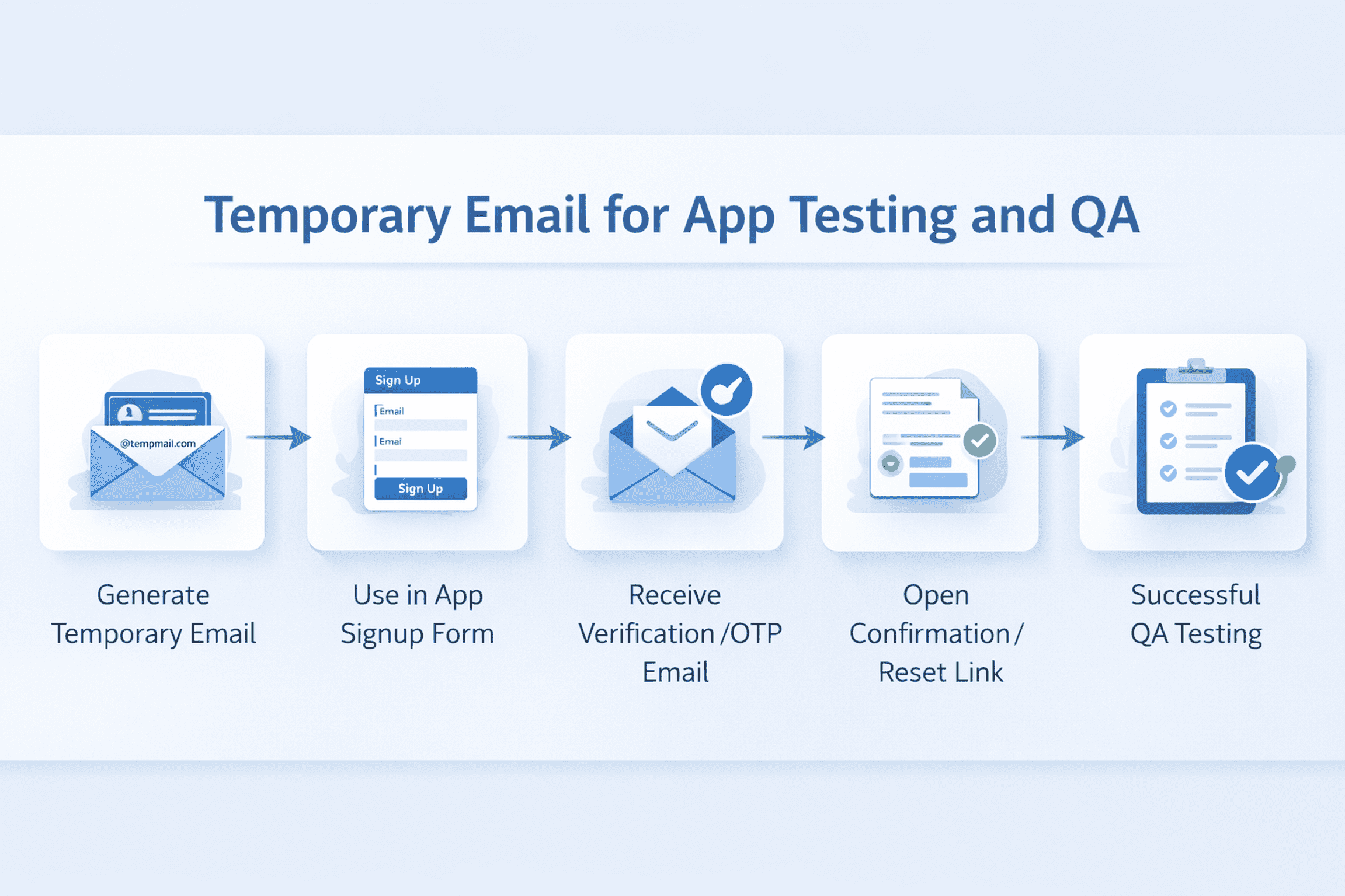
How Temporary Email Improves Testing Efficiency
Temporary email is not just about convenience. It also improves test speed and organization. When teams are validating repeated user journeys, they need tools that reduce friction. A disposable inbox removes unnecessary setup steps and lets testers focus more on functionality.
It can also support cleaner bug reporting. If an email fails to arrive, arrives late, contains broken formatting, or includes the wrong link, testers can quickly capture the issue within a controlled environment. That helps development teams reproduce and fix email-related bugs faster.
Step-by-Step: How to Use Temporary Email for App Testing
- Open a temporary email service and generate a disposable inbox.
- Go to your app or test environment.
- Use the temporary email address during registration or feature testing.
- Trigger the email and evaluate the content, timing, and link behavior.
Repeat the process for different test cases or user roles if needed.
What to Check During Email-Based QA Testing
Receiving the email is only one part of the test. A proper QA process should also check the quality and reliability of the message itself.
- Did the email arrive successfully?
- Was the subject line correct and relevant?
- Did the email content match the triggered action?
- Was the verification or reset link valid and functional?
- Did the OTP code work before expiration?
- Was the message formatted correctly on desktop and mobile layouts?
- Were there duplicate or delayed emails?
Advantages for Developers and QA Teams
Temporary email can support both manual testing and structured QA workflows. For developers, it offers a simple way to verify email-related features during development. For QA teams, it provides a repeatable method to test onboarding and communication flows without depending on long-term inbox management.
It is especially useful for teams working on SaaS products, mobile apps, e-commerce platforms, web applications, educational tools, and internal dashboards where email verification and account actions are part of the user experience.
Important Limitations to Understand
Temporary email is useful for short-term testing, but it is not suitable for every situation. Since the inbox is disposable, it should not be used where long-term access or account recovery is required.
- Do not use it for permanent team accounts.
- Do not rely on it for long-term product ownership.
- Do not use it when password recovery may be needed later.
- Do not treat it as a replacement for stable production communication.
In other words, temporary email works best for short-lived, controlled testing workflows. It is a tool for validation, not a long-term identity solution.
When Temporary Email Makes the Most Sense
Temporary email is a strong choice when the purpose is limited, practical, and time-sensitive. It fits best in staging environments, QA cycles, regression testing, demo environments, onboarding checks, and repeated user-flow validation.
If your goal is to test whether an app sends the right message to the right place at the right time, a disposable inbox can be a fast and effective solution.

Best Practices for Using Temporary Email in QA
- Use temporary email mainly for short-term test cases.
- Document which scenario each inbox is being used for.
- Separate testing between staging and production environments.
- Verify not just delivery, but also content quality and link behavior.
- Use stable inboxes for long-term monitoring where needed.
Final Thoughts
Temporary email can make app testing and QA much more efficient when used in the right way. It helps teams validate account creation, email verification, password reset, OTP delivery, and automated notification flows without overloading a personal or business inbox.
For short-term testing, repeated validation, and controlled email-based workflows, temporary email is a practical tool. Used carefully, it can save time, simplify repetitive QA tasks, and improve the overall testing process.
Frequently Asked Questions
Can temporary email be used for signup testing?
Yes. It is commonly used to validate sign-up flows, verification emails, and onboarding messages during app testing.
Is temporary email useful for OTP testing?
Yes. It can help testers confirm whether one-time codes are sent correctly and whether they work within the expected time window.
Should temporary email be used for production accounts?
No. Temporary email is best for short-term testing. Permanent accounts should use stable email addresses for ongoing access and recovery.
Can QA teams use temporary email for password reset testing?
Yes. It is useful for checking whether reset links are delivered properly and whether the reset process works as expected.
Is temporary email good for repeated test cases?
Yes. It is especially helpful when testers need to create multiple accounts and trigger the same email-based workflow many times.